
Running Pi-hole and Home Assistant Containers Side by Side
I have a very simple setup at home. Basically, I am running Pi-hole in my network and use it as a DNS sinkhole. As I like to touch as little devices as possible, I decided to advertise Pi-hole as the DNS server for the whole network via DHCP 1.
To make my setup reproducible, I decided to go with docker (specifically docker compose) when I last migrated the server. This caused quite a headache with the Pi-hole setup (turns out networking and port mapping are super annoying with Docker).
After some long Sunday nights (with everyone around me annoyed due to lack of internet access), I finally got Pi-hole to work.
Trouble resurfaced, when I started making my house smarter. I added the the Home Assistant Docker service to my Compose file. Everything worked as expected with the default configuration. But as soon as I checked my phone, DNS resolution stopped working.
I spent a long time trying to understand what was going on. I was baffled: as soon as I stopped the Home Assistant container, DNS resolution on my phone started working again.
The error message that I observed in Pi-hole also did not help: the DNS resolution via UDP port returned “permission denied for 8.8.8.8:53".
I bounced a lot of ideas with ChatGPT, but unfortunately that didn’t lead anywhere. At some point, I figured that I can just move the HA container to it’s own host - via macvlan. That didn’t work either, but led me to ipvlan - a configuration that finally worked. You can find the complete Docker Compose in this section.
The only downside is that HA can’t access other containers running on the same host. So, in my case HA can’t use Pi-hole for the DNS requests and I had to supply the upstream DNS server directly. Note, that your Mosquitto container must also run on the new network!
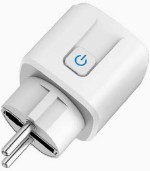
The innocent device that made me setup Home Assistant (and waste a lot of time setting it up)
The Docker Compose File
 pihole:
    container_name: pihole
    image: pihole/pihole:latest
    network_mode: 'host'
    environment:
      TZ: 'Europe/Berlin'
      FTLCONF_dns_revServers: 'true,192.168.0.0/16,192.168.123.1,fritz.box'
      FTLCONF_dns_upstreams: '8.8.8.8;8.8.4.4'
      FTLCONF_webserver_api_password: 'XXXX'
      DNSMASQ_LISTENING: all
      ServerIP: 192.168.123.<PI-HOLE-IP>
    volumes:
      - pihole_data:/etc/pihole
      - dnsmasq_data:/etc/dnsmasq.d
    cap_add:
      - NET_RAW
      - NET_ADMIN
    restart: unless-stopped

  homeassistant:
    container_name: homeassistant
    image: "ghcr.io/home-assistant/home-assistant:stable"
    volumes:
      - ./ha_config:/config
      - /etc/localtime:/etc/localtime:ro
      - /run/dbus:/run/dbus:ro
    restart: unless-stopped
    dns:
      - 8.8.8.8 # can't use pi-hole due to ipvlan limitation
    ports:
      - "5353:5353/udp"
      - "8123:8123"
    networks:
      lan:
        ipv4_address: 192.168.123.<SOME-OTHER-IP>
    environment:
      TZ: Europe/Amsterdam
networks:
  lan:
    driver: ipvlan
    driver_opts:
      parent: eth0
      ipvlan_mode: l2
    ipam:
      config:
        - subnet: "192.168.123.0/24"
          ip_range: "192.168.123.1/28"
          gateway: "192.168.123.1"